Complete Customer Quote Walkthrough
Show customers exactly how Quote & Cut turns a cutting file into a configured, priced and checkout-ready order through one connected online workflow.
One Connected Buying Journey
Quote & Cut guides the customer through every decision in the correct order. Each stage prepares the next, giving buyers a clear route from file upload to a complete WooCommerce order.
Full Product Walkthrough
Follow the full customer experience from the first DXF upload through material selection, quantities, secondary processes, lead-time choice, live pricing, cart and WooCommerce checkout.
Every customer selection stays attached to the job as the quotation moves from uploaded drawing to calculated price and completed WooCommerce order.
See how Quote & Cut analyses the file, collects the manufacturing specification, calculates the price and passes the complete configured job into the normal WooCommerce buying journey.
Step 01
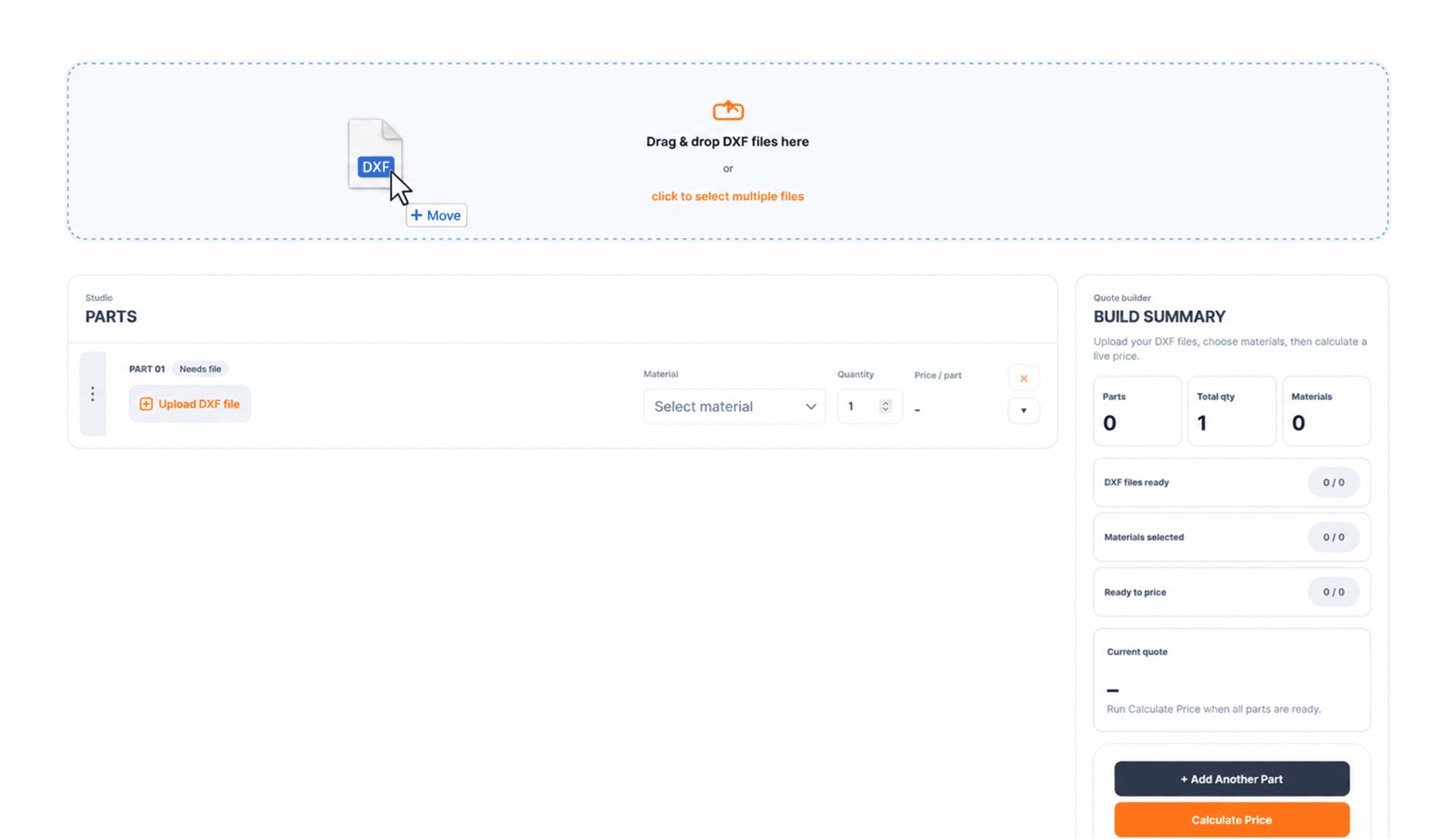
The quotation begins with a clear drag-and-drop upload area. Customers can add one or multiple DXF files, then see each component appear inside the quote builder ready for configuration.
Step 02
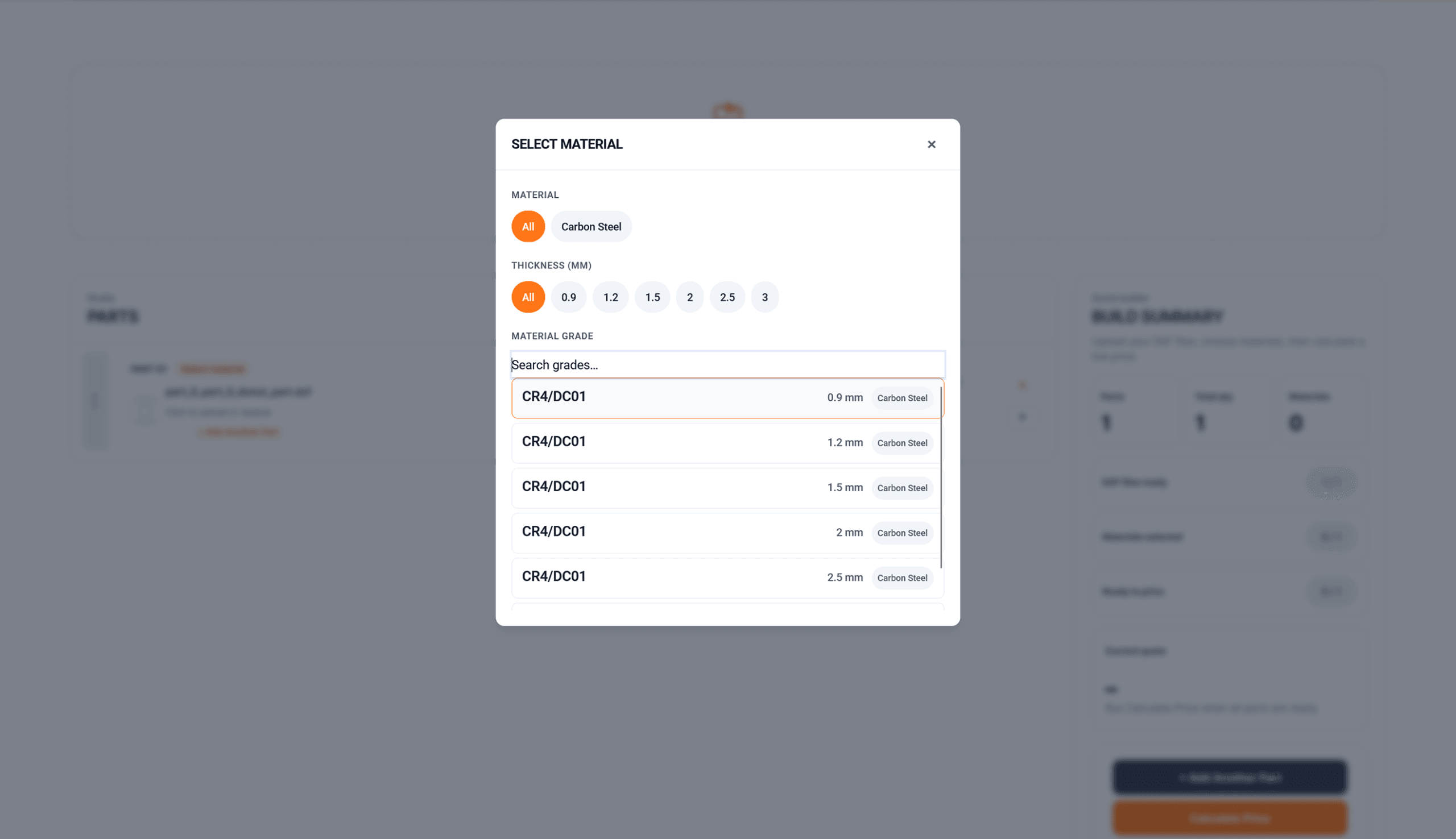
Each part can be matched to the correct material using the built-in picker. Customers can filter by material, thickness and material grade before confirming the selection.
Step 03
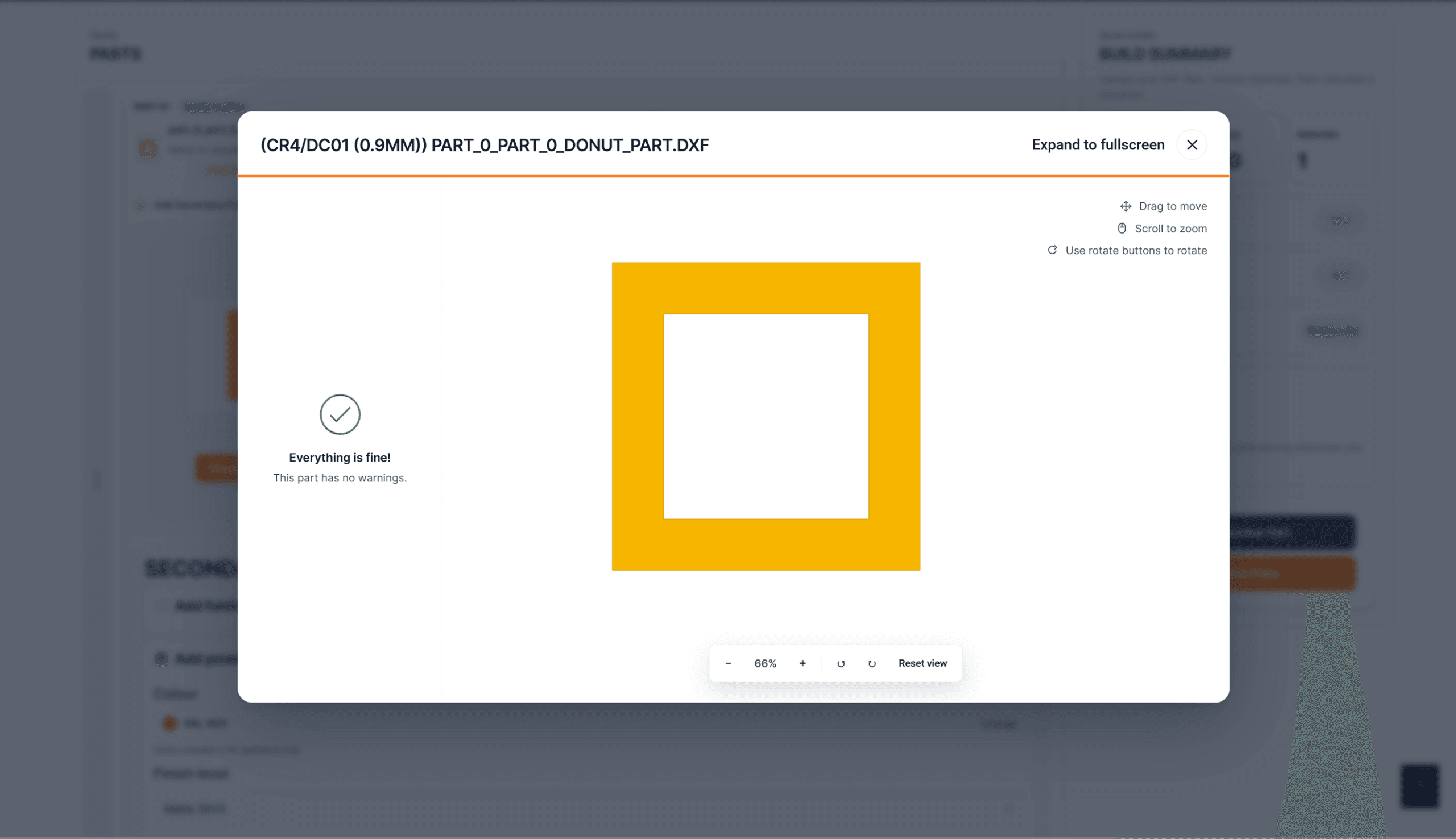
The customer enters the required quantity for each uploaded component. Quote & Cut keeps the part name, preview, material and quantity together so the job is easy to verify before pricing.
Step 04
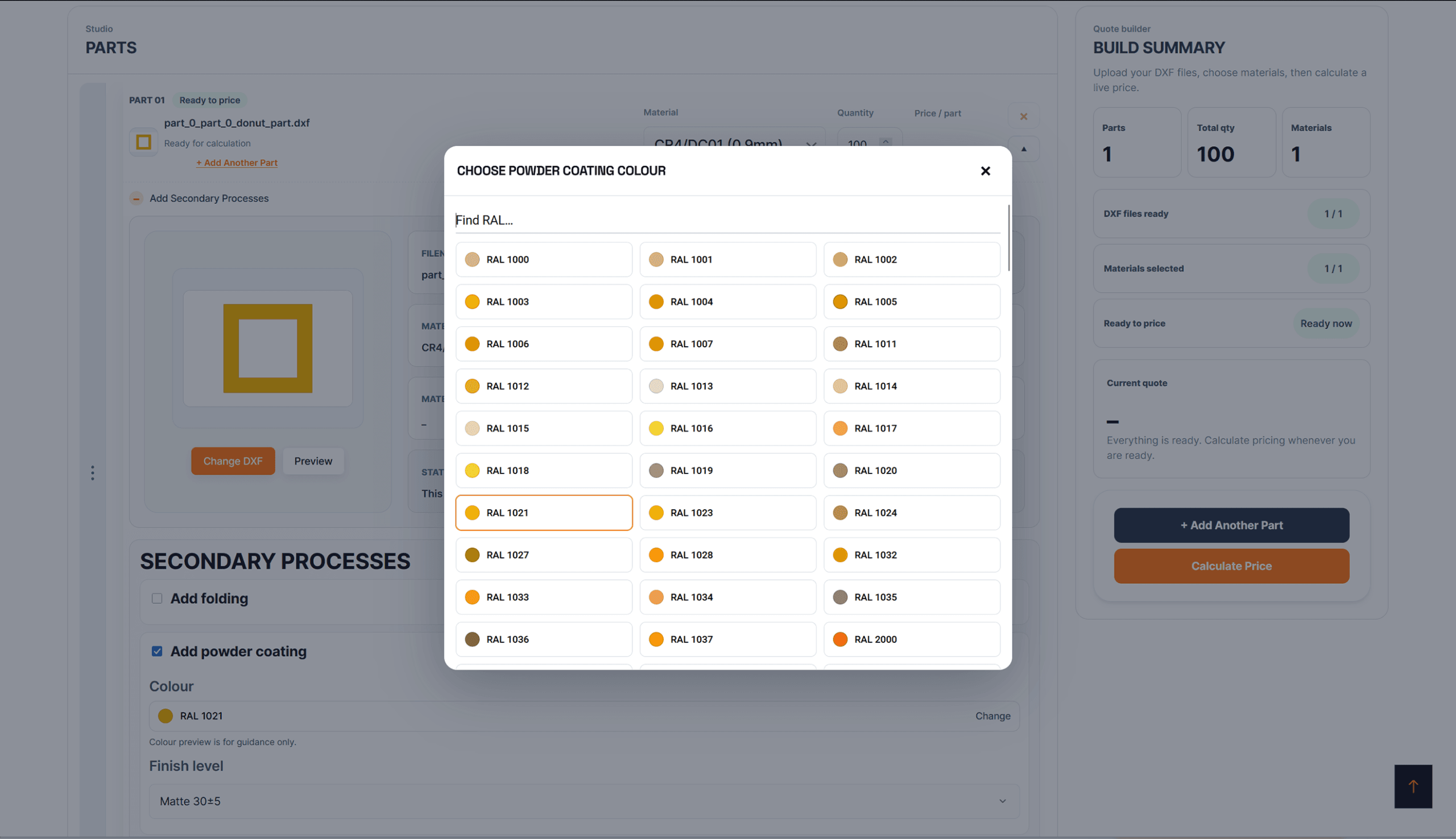
Where Quote & Cut Advanced is enabled, customers can add secondary processes directly to the relevant component instead of requesting a separate manual quotation.
Step 05
Available lead-time options are presented with their production estimates and pricing adjustments. Customers can compare Standard and Express turnaround before they commit.
Step 06
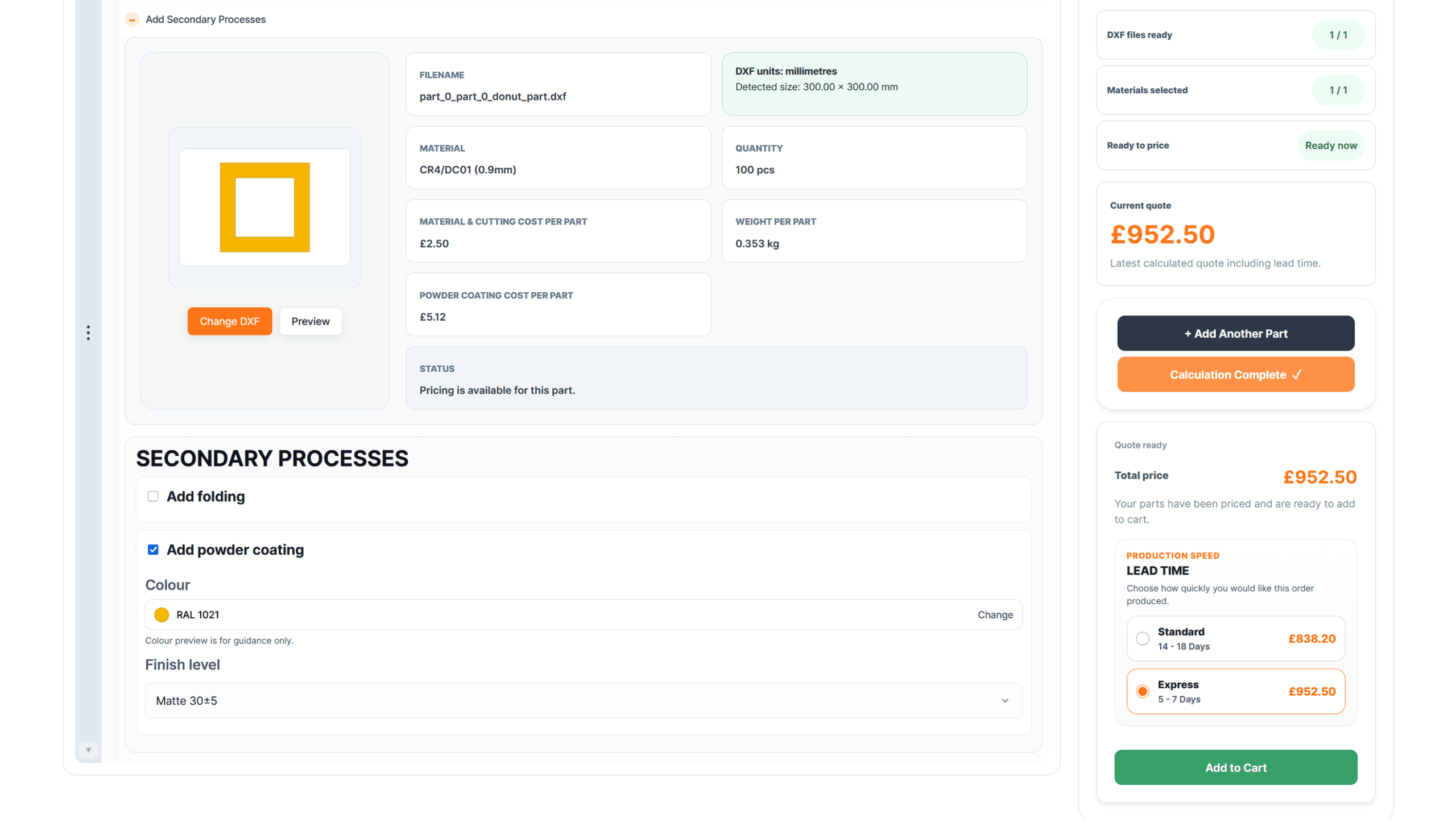
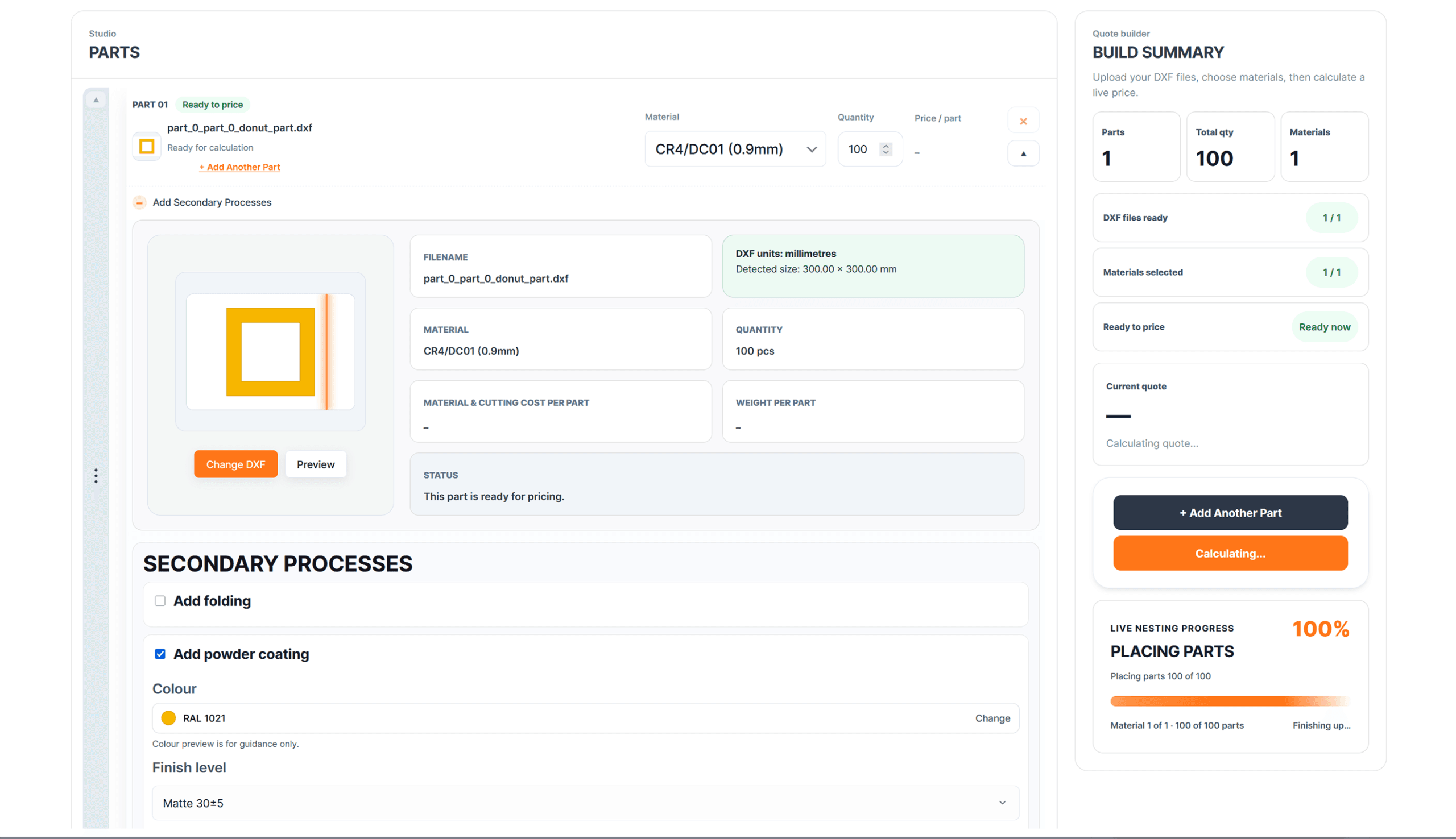
When every part is ready, the customer runs Calculate Price. Quote & Cut processes the job, updates the current quote and presents the completed price with the selected specification.
Step 07
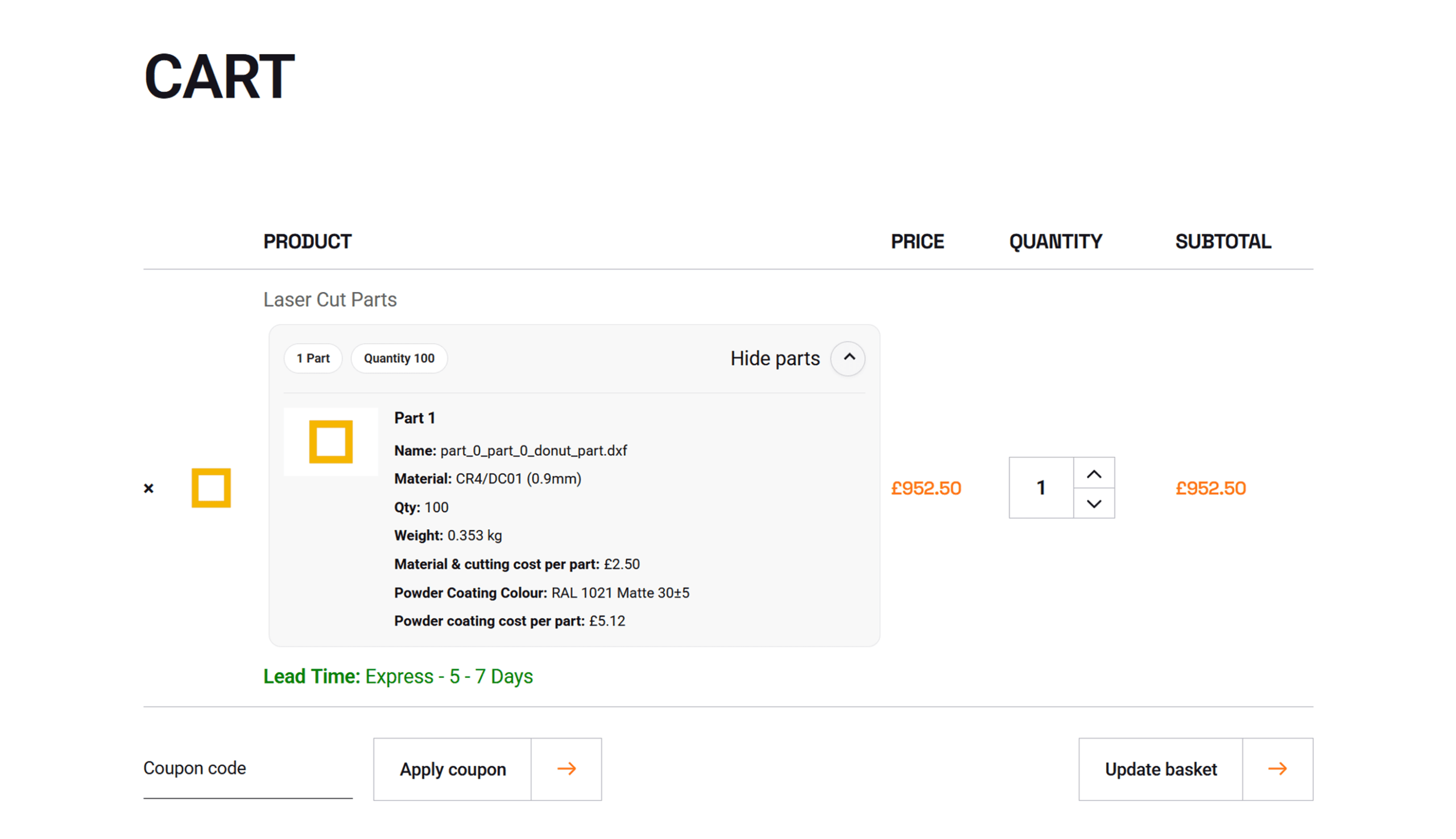
The customer selects Add to Cart and continues through the familiar WooCommerce journey. The configured Quote & Cut job, calculated price and production selections move forward together.
The Customer Experience
Every stage of the buying process stays visible, structured and connected—from the original drawing to the final WooCommerce order.
Turn More Drawings Into Orders
Install Quote & Cut and replace slow, fragmented quotation conversations with one guided online workflow built around the customer’s actual cutting files.
Discount Applied Successfully!
Your savings have been added to the cart.
