Managing Quote & Cut Orders
Quote & Cut carries the customer’s files, material choices, quantities, secondary processes, lead time and price into WooCommerce, giving your team one place to review, download and manage the complete job.
From Checkout to Workshop
A paid order should arrive ready for production, not trigger another round of searching, copying and clarification. Quote & Cut keeps the drawing files, selected specification, lead time and process requirements connected to the WooCommerce order from the moment the customer checks out.
Order Management Walkthrough
Follow the complete backend workflow: find an order by its production date, confirm the selected lead time, review each part and process, create a parts list, and download the customer and nesting files needed for production.
Quote & Cut keeps the customer’s selected specification and production files attached to the WooCommerce order, giving every team the same source of truth.
See how production dates, lead times, part cards, secondary-process details, printable parts lists and downloadable DXFs appear inside the real WooCommerce order screen.
Step 01
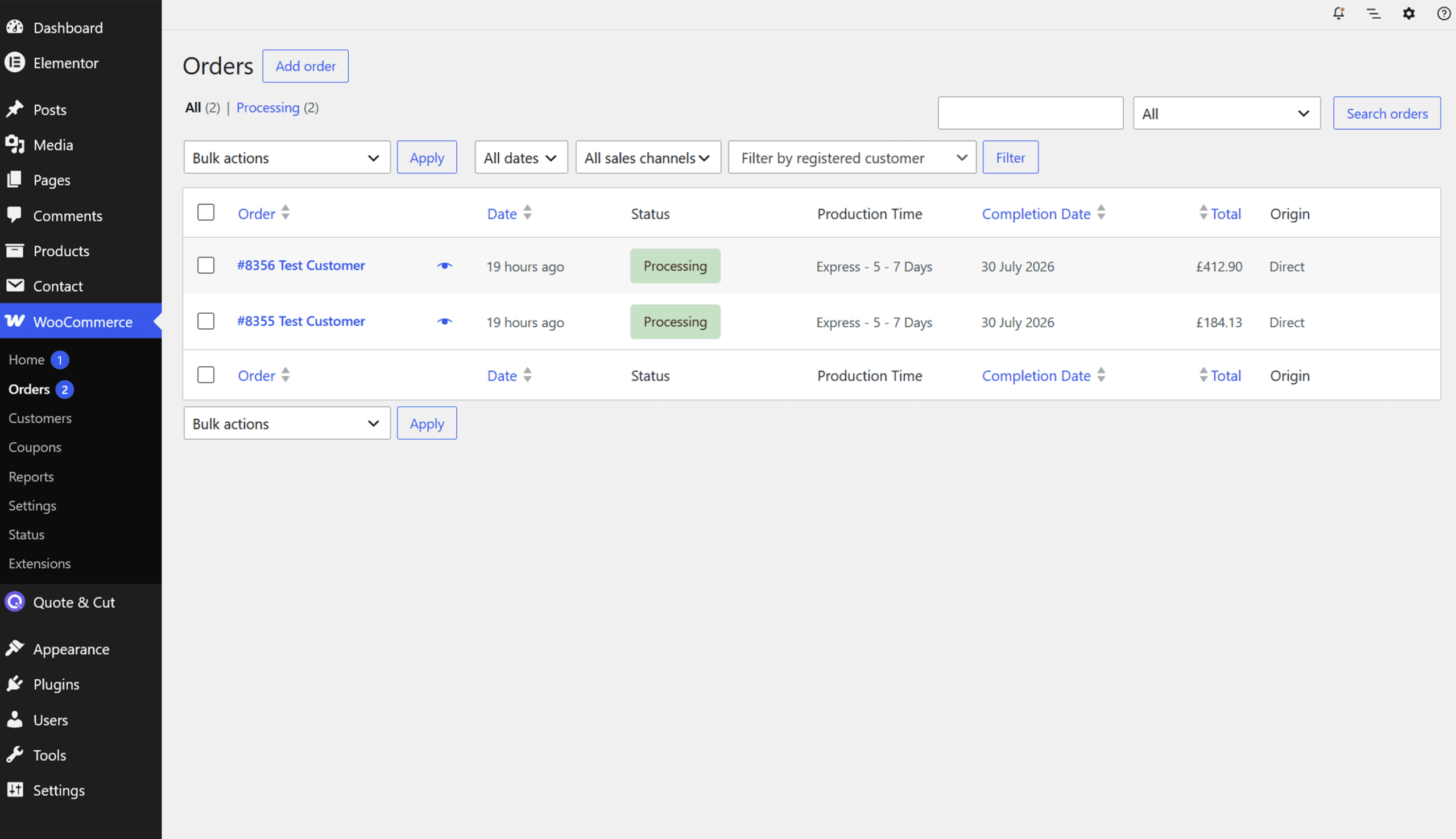
When Lead Times are enabled, Quote & Cut adds Production Time and Completion Date columns to the WooCommerce orders list. This gives the team an immediate view of the promised turnaround before opening the order.
Step 02
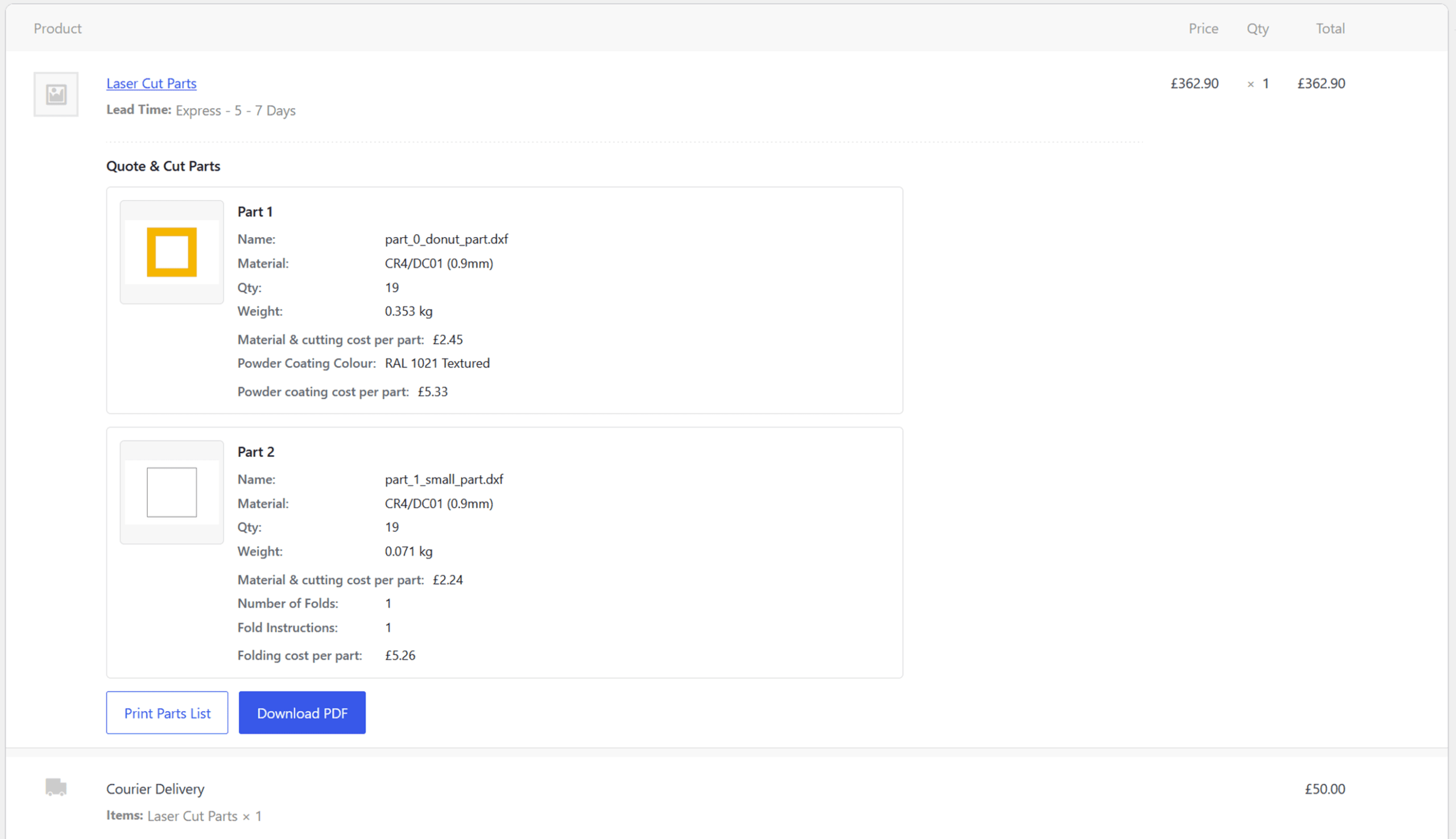
Open the order to use the normal WooCommerce customer, payment and status controls. The customer’s selected Quote & Cut lead time is stored against the order item alongside the complete job total.
Step 03
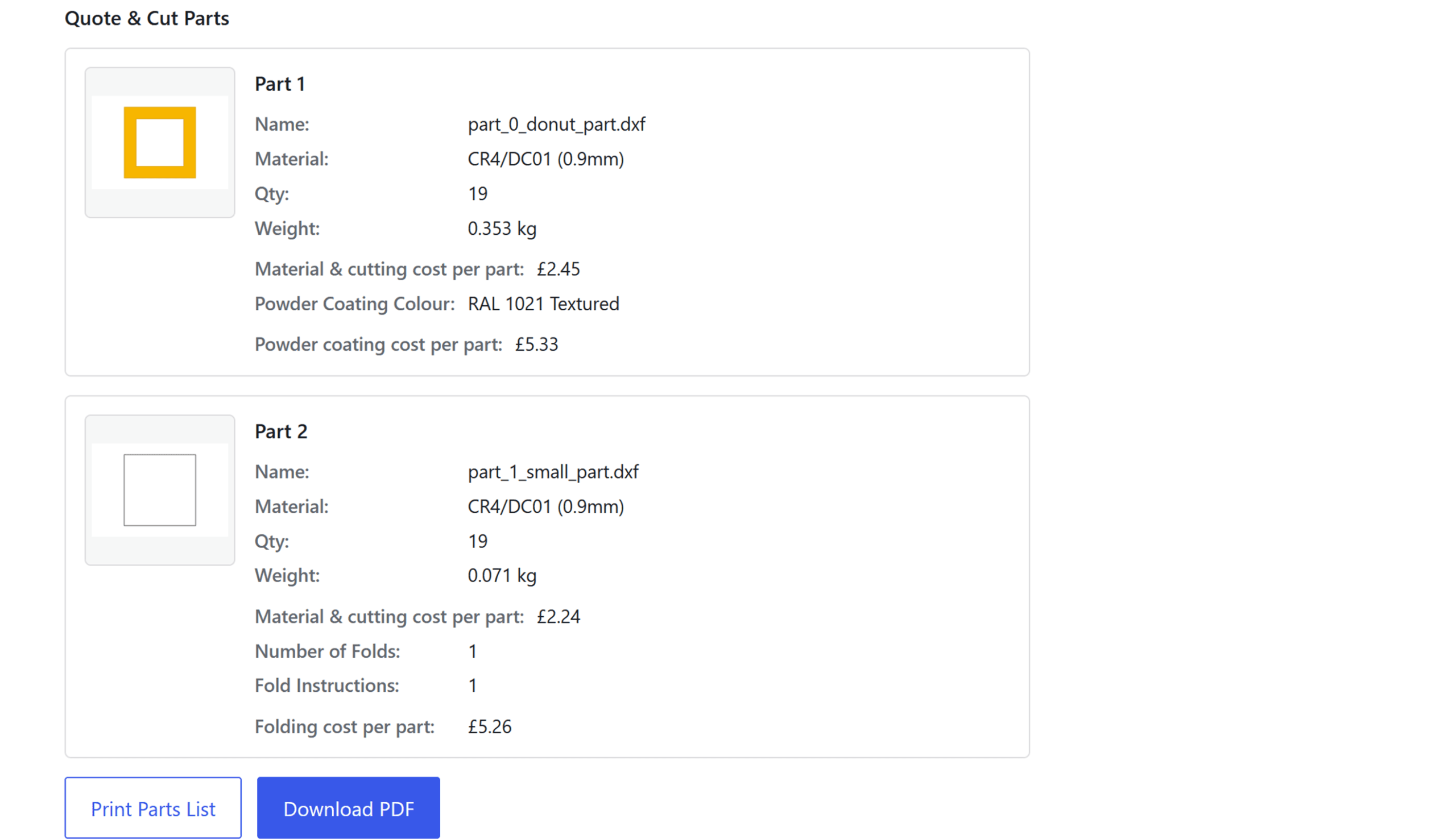
Beneath the WooCommerce line item, Quote & Cut displays a dedicated parts section. Every component has its own preview and manufacturing information, making multi-part jobs easier to verify before production begins.
Step 04
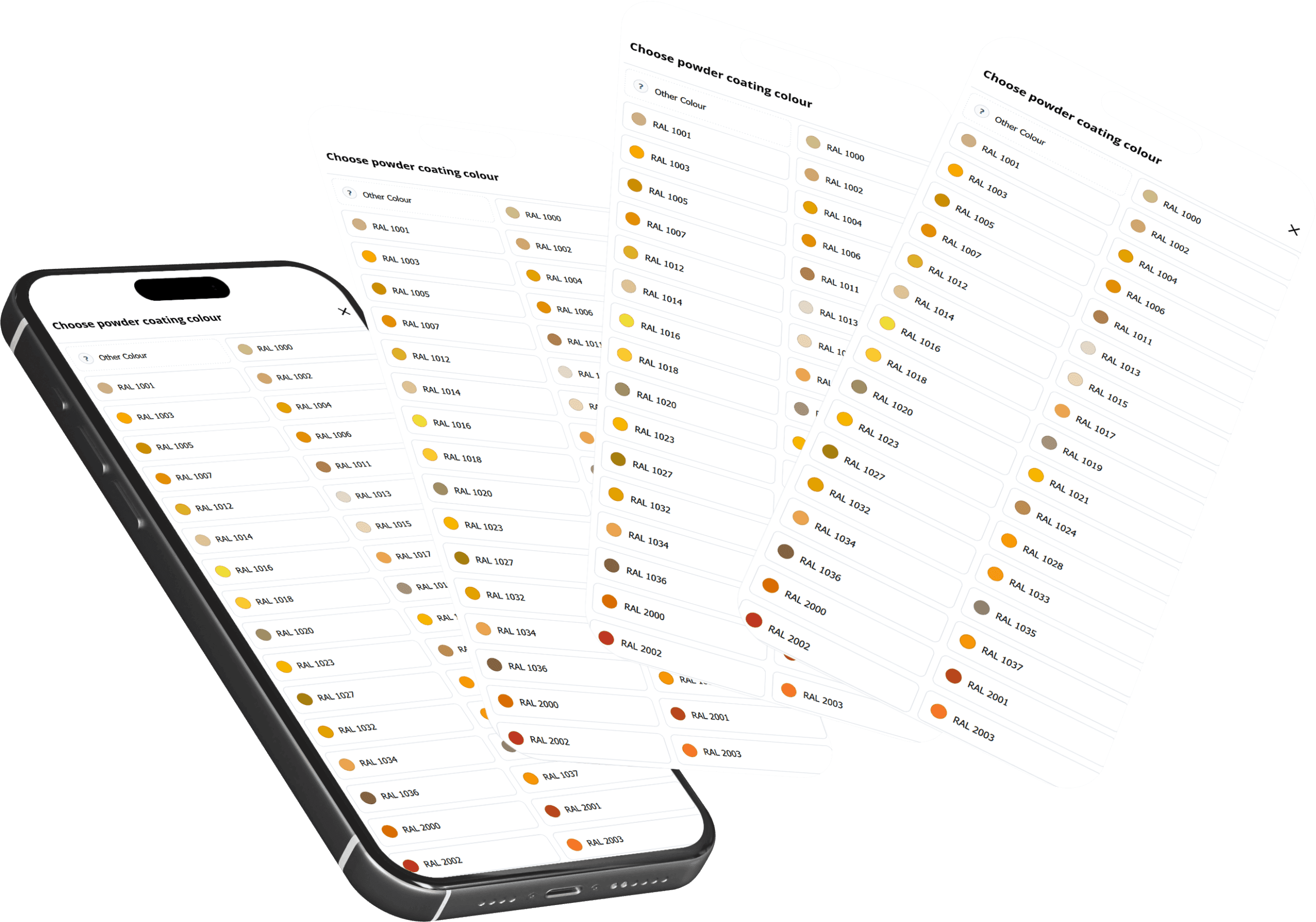
Secondary-process selections remain attached to the relevant component. The production team can review the customer’s folding requirements and powder-coating choice without searching through separate messages or quote notes.
Step 05
The order screen includes Print Parts List and Download PDF actions. Both create a production-friendly record containing the order number, part previews and the information recorded for each component.
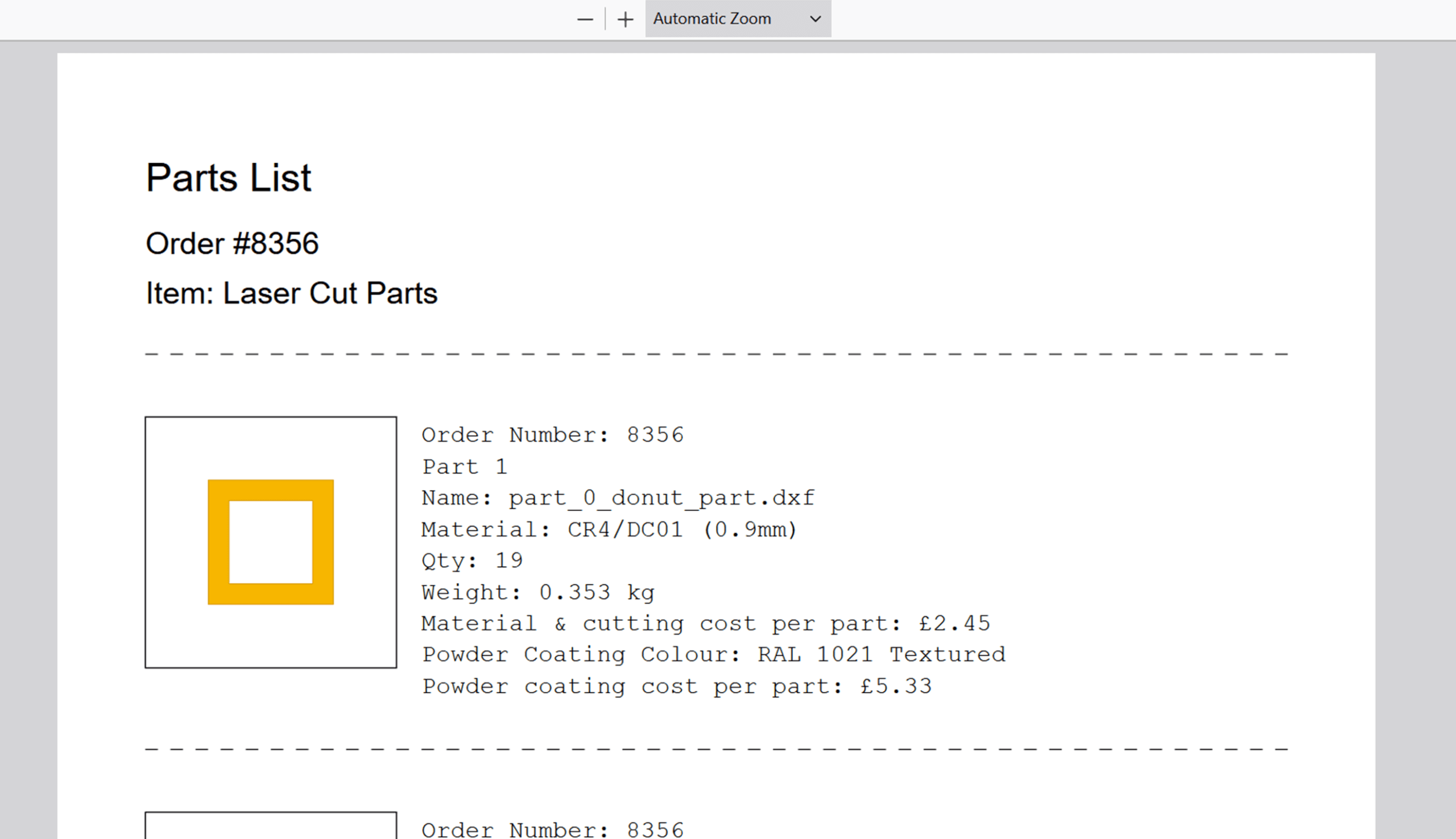
Step 06
The Quote & Cut Files panel keeps uploaded drawings and generated cutting files connected to the correct order item. Only file groups containing available files are displayed, so each order shows the outputs created for that job.
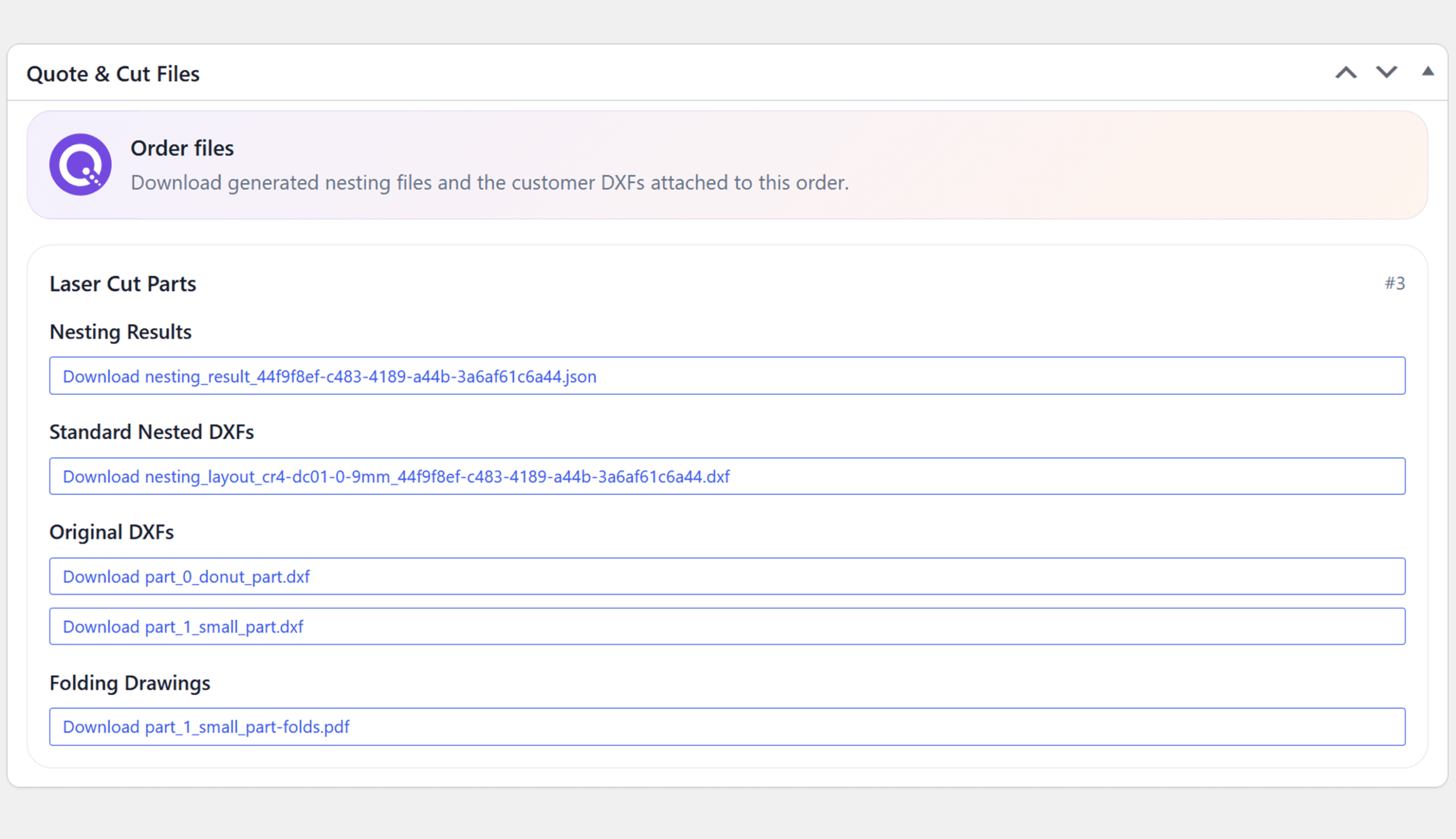
Step 07
Once the specification and files have been checked, the order can move through the same WooCommerce workflow already used by the business. Customer details, payment information, order status and internal notes remain alongside the Quote & Cut production record.
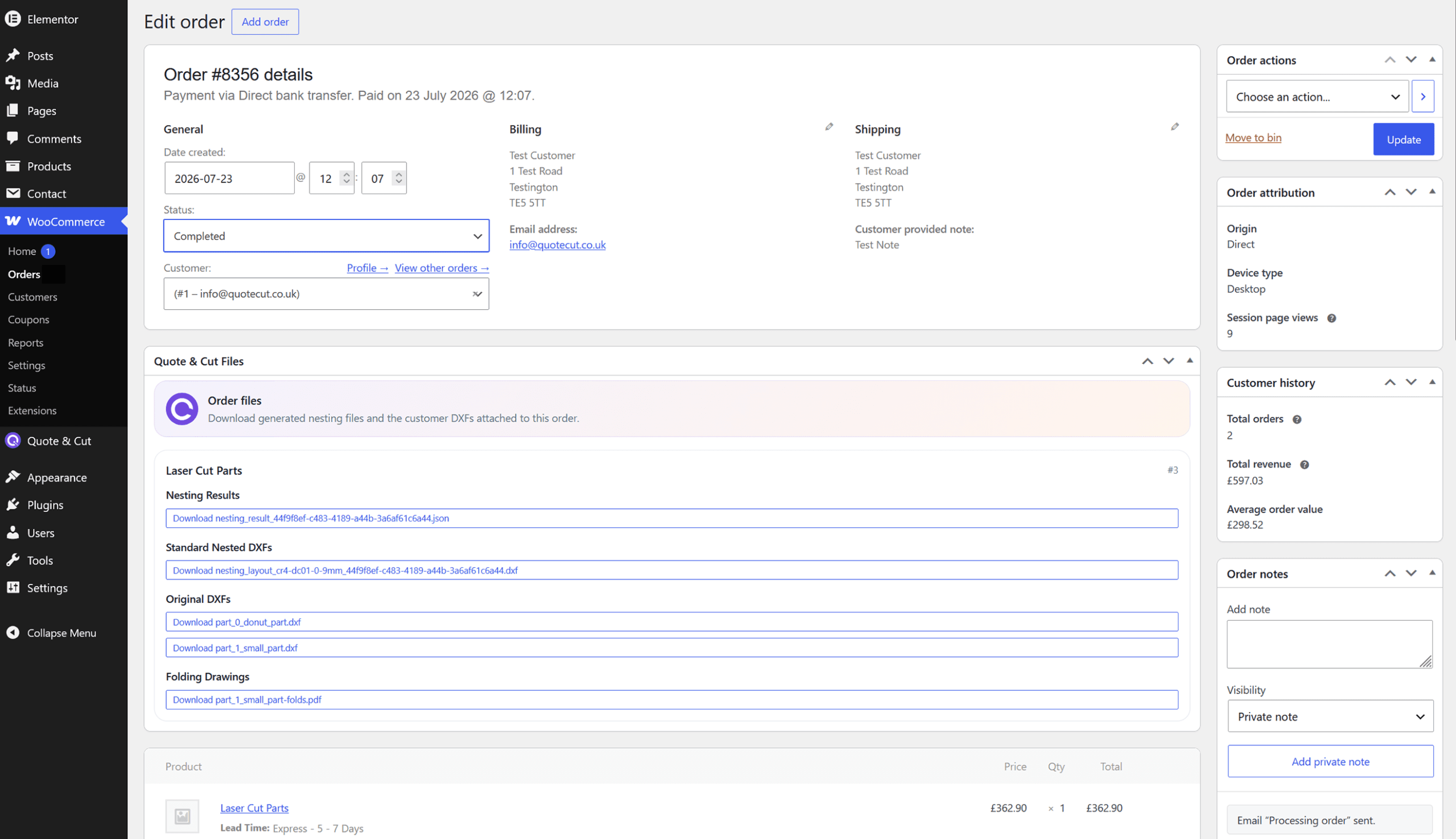
The Production Handoff
Quote & Cut carries the customer’s selections beyond checkout, giving the workshop a structured order record instead of another manual production handoff.
Bring Every Order Into Focus
Install Quote & Cut and give sales, administration and production one connected WooCommerce record containing the customer’s files, specification, lead time and manufacturing details.
Discount Applied Successfully!
Your savings have been added to the cart.
