Quote & Cut Setup Wizard
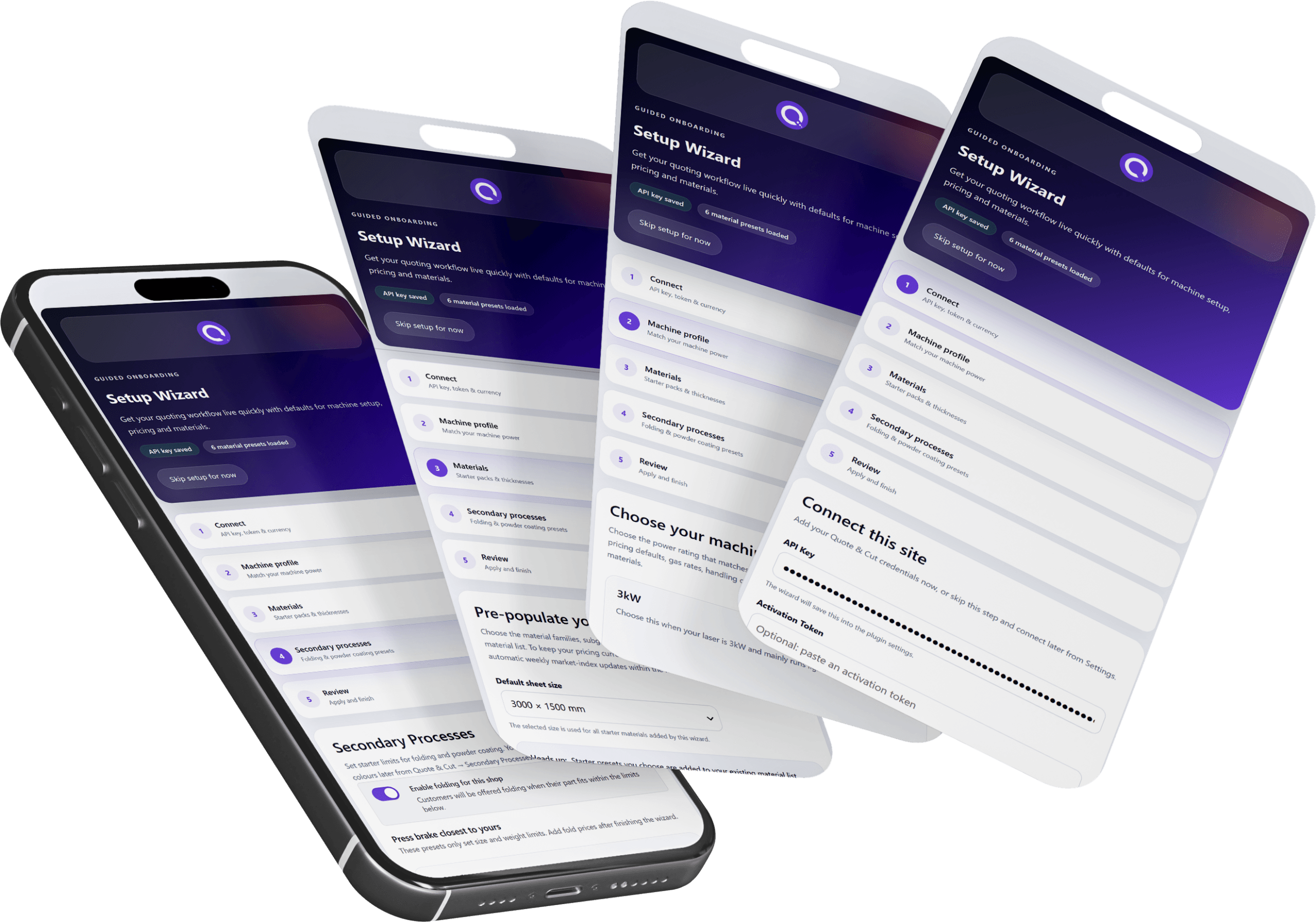
Use one guided workflow to connect Quote & Cut, choose your machine and pricing model, create starter materials and prepare optional secondary processes—without building every setting from scratch.
Faster Setup
Building a quoting system from an empty installation takes time and makes it easy to miss important pricing dependencies. The Quote & Cut Setup Wizard creates a structured starting point based on your machine, materials and workflow, so you can reach a test quote faster.
Product Demo
Watch the complete guided setup, from connecting your Quote & Cut account and using your WooCommerce currency to selecting a laser profile, pricing model, starter material catalogue and optional secondary-process presets. Review the full configuration before applying it, then move straight into checking your real costs and completing a test quote.
Configure the essential parts of Quote & Cut in one clear sequence. The wizard creates editable starter settings, helping you avoid missed steps while keeping full control over the final pricing and production data.
Follow the full process of connecting Quote & Cut, selecting a machine profile and pricing method, adding a starter material range, preparing folding and powder-coating options, and reviewing every choice before the settings are applied.
The Difference
The Setup Wizard replaces a scattered, page-by-page configuration process with one guided route to a working baseline you can review, refine and test.
How It Works
Enter your Quote & Cut connection details and use the currency already configured in WooCommerce, or choose another if required.
Select the laser profile and sheet-pricing model that most closely match the way your business operates.
Create a starter material catalogue and, with Quote & Cut Advanced, prepare folding, powder coating and the RAL colour palette.
Check the complete summary, apply the selected starter settings, then review your real costs before completing a test quotation.
Why It Matters
The wizard removes repetitive setup work while keeping every value editable. You get a sensible baseline for your machine, materials and optional processes—not a locked system you cannot adapt.
Feature Highlights
Designed to turn a fresh WordPress installation into a structured, ready-to-review Quote & Cut configuration.
Quote & Cut uses the currency already configured in WooCommerce by default, while still allowing you to choose a different currency when needed.
Choose a common laser profile or a custom setup to create starter values for hourly rates, gas costs, handling charges and cutting data.
Select Full Sheet, Prorated or Straight Cut Off pricing so the material calculation starts from the model that best matches your business.
Choose a sheet size, material grade and the thicknesses you stock to create a ready-to-edit material range in minutes.
With Quote & Cut Advanced, prepare folding and powder-coating limits and preload the standard RAL palette as part of the same guided setup.
See a complete summary before anything is saved, and choose whether to apply starter machine pricing or preserve the values already in place.
Get Started Today
Install Quote & Cut, run the guided Setup Wizard and move from a fresh installation to a structured configuration ready for review and testing.
Discount Applied Successfully!
Your savings have been added to the cart.
